

Consistency matters—especially in the way your organization presents itself through something as simple and frequent as email. Yet many companies still manage their Microsoftemail signature process manually, relying on individual employees to update their own Microsoft 365 email signature, copy-paste templates, or follow outdated instructions.
At first glance, this approach appears “free”. But in reality, manual signature management carries a hidden and surprisingly high cost—a mix of lost productivity, brand inconsistency, IT overhead, and compliance risks. Let’s break down what organizations are really paying for when they don’t automate their company email signature process.
1. Lost Productivity Across the Entire Team
Manually updating a signature in Microsoft 365 seems simple—until you multiply the task across dozens or hundreds of employees.
Common time-wasters include:
Employees figuring out how to make a professional email signature in Outlook Incorrect formatting of hyperlinked fields such as phone numbers, email addresses, or website links,just to name a few Re-sending instructions whenever branding changes IT fixing broken links, images, or layout issues
When every small update requires each staff member to change their email signature, hours disappear from your workweek. Automation eliminates this scattered, repetitive work entirely.
2. Brand Inconsistency Hurts Your Professional Image
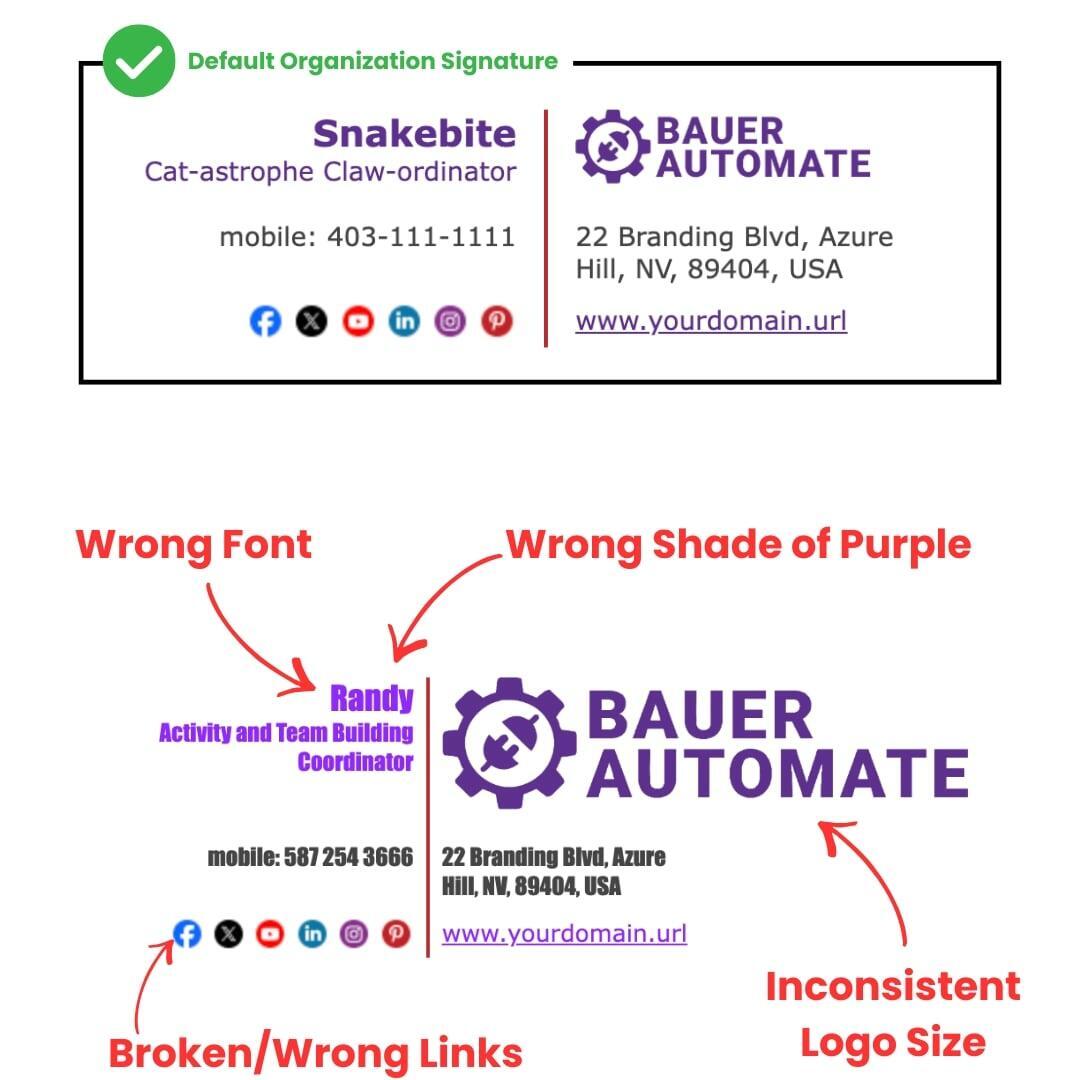
A business can spend thousands on branding, only for it to be diluted by inconsistent email signatures. Without automation, organizations end up with:
● Off-brand colors
● Broken icons
● Missing legal disclaimers
● Outdated titles
● User-modified email signature designs that are different from their colleagues
This leads to hundreds of variations—none of which represent the business accurately.
With Email Signature Automation, every employee uses the same centrally managed, beautifully formatted professional email signature that aligns with your brand’s guidelines.
3. IT Overhead and Hidden Support Costs
Most IT teams spend far more time than they realize supporting custom Outlook signature issues, especially during:
New employee onboarding Title or department changes Company rebranding Seasonal campaign updates Mergers or acquisitions
Manually supporting company signature updates in Microsoft 365 creates predictable, recurring drain on IT resources. Automation gives IT hours back by applying updates instantly and globally—no tickets, no troubleshooting.
4. Compliance and Legal Risks
Many industries require consistent disclaimers or policy references. Manual signatures often break rules because employees forget to update them or accidentally delete mandatory text.
Centrally managed signatures ensure:
Legal disclaimers are always included Certifications or credentials stay accurate Department-specific requirements are consistently applied Campaigns (e.g., cybersecurity, HR notices) are displayed correctly
Automation protects your brand and reduces human error.
5. Poor Scalability as Your Business Grows
As teams expand, especially across multiple locations, manual management becomes unmanageable. Companies often struggle with:
Tracking different versions of email signature designs Supporting hybrid or remote staff Keeping metadata-driven details (titles, phone numbers,etc.) up to date Ensuring consistent Microsoft 365 signature formatting across devices (Sent from iPhone, Get Outlook for iOS, etc.)
Strong signature governance becomes impossible without a centralized system.
6. Missed Marketing Opportunities
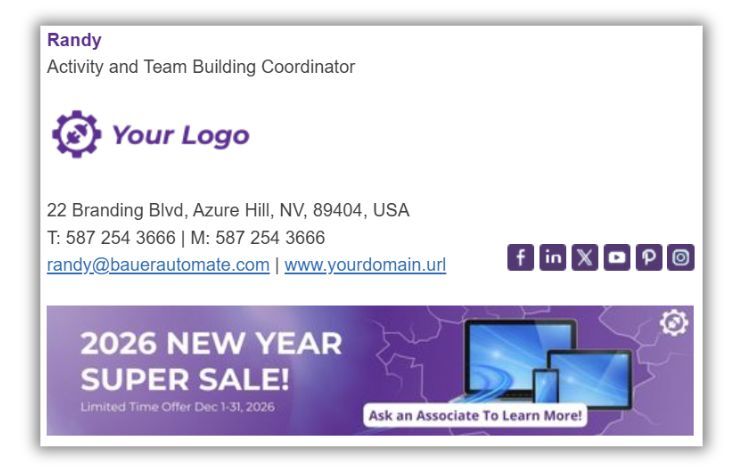
Email is the most-used communication channel in your business. Manually managed signatures make it difficult to roll out:
● Calls to action
● Event promotions
● Seasonal branding
● Customer feedback links
With Bauer Automate’s email signature automation service, marketing teams can update the email signature design elements for the entire company in seconds without any additional employee involvement.
How Email Signature Automation from Bauer Automate Solves This
Our platform, built specifically for Microsoft 365 email signature management, eliminates every manual touchpoint by offering:
Centralized cloud management Dynamic fields for titles, departments, phone numbers, and locations Automated rules for departments, regions, or job roles Support for email signature custom layouts and branding Consistent mobile and desktop rendering Fully branded professional email signature designs out of the box
Instead of teaching every employee how to make email signature changes themselves, your updates flow automatically across Outlook, mobile, and web.
Is It Time to Stop Managing Email Signatures Manually?
If you’re experiencing:
- Inconsistent signatures
- Frequent edits
- Rebranding challenges
- High IT workloads
- Off-brand employee-edited templates
- Difficulty enforcing compliance
…it’s likely costing your organization more than you think.
Switching to a modern, automated solution ensures your business email signature is accurate, consistent, branded, and professionally designed—every single time.
Ready to Automate Your Microsoft 365 Email Signatures?
Book a Free Consultation or Free Demo with us to learn how Bauer Automate can help you take control of your email signatures, reduce IT overhead, and strengthen your professional brand.